If you’re planning a trip to Munnar, one question almost everyone asks is: “Will my phone work there?”
The short answer is yes, but not everywhere.
Munnar’s network coverage can be surprisingly confusing. You may see full bars in the town area and suddenly lose signal a few kilometers away in the tea plantations or viewpoints. Many travelers assume they’ll have fast 4G everywhere — and that’s where most people get frustrated.
This guide explains exactly what works, what doesn’t, and what to expect when it comes to mobile network and internet in Munnar.
Why Mobile Network in Munnar Is Different from Other Hill Stations
Munnar sits at altitudes ranging from 1,400 to 2,700 metres in the Western Ghats of Kerala. Unlike hill stations near major highways or flat terrain, Munnar’s deep valleys, dense forest cover, and winding roads create serious challenges for mobile towers.
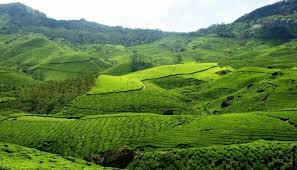
One thing most people don’t realize is that even if your phone shows 4G bars in Munnar town, it doesn’t mean your data speeds are usable. Signal strength and data throughput behave very differently at high altitude — a single cloud layer or fog patch between you and the nearest tower can drop your connection mid-call.
The situation has improved noticeably since 2024, but it’s still not the kind of connectivity you’d find in Ooty or Coorg.
Which Mobile Networks Work Best in Munnar? (2026 Update)
Jio — The Overall Best for Munnar
Jio continues to dominate Munnar’s mountain terrain in 2026, thanks to aggressive tower expansion in the Western Ghats region. If you’re choosing a single SIM card for your Munnar trip, Jio is the most reliable pick.
- Coverage area: Munnar town, Mattupetty, Echo Point, Eravikulam National Park buffer zone, Top Station (partial)
- Typical speed in town: 8–20 Mbps download, 3–8 Mbps upload
- Availability of 4G: Good within Munnar town and main tourist corridors
- 5G availability: Limited as of early 2026 — functional in parts of Munnar town centre only
Jio performs best between 6 AM and 9 AM before network congestion sets in during tourist hours. Many regular visitors say that doing heavy data tasks (video uploads, backups, downloads) early in the morning saves a lot of frustration.
BSNL — The Sleeper Pick for Remote Areas
BSNL often surprises travellers in Munnar. While its 4G rollout has been slower nationally, BSNL’s older infrastructure actually covers some valleys and plantation roads that private operators have ignored.
- Best for: Travelers venturing beyond standard tourist spots
- Speed: Usually 2G/3G in remote zones, slow but functional for calls and text
- Voice calls: Surprisingly clear in many areas where Jio data struggles
- Worth carrying: Yes, as a secondary SIM for emergencies
Insight: If you’re driving from Munnar towards Marayoor or Chinnar Wildlife Sanctuary, BSNL may be your only option for connectivity for stretches of 15–20 km.
Airtel — Competitive in Town, Patchy Outside
Airtel has improved considerably in Munnar town itself, offering reasonably competitive speeds. However, its coverage drops faster than Jio as you move toward higher-altitude spots like Kolukkumalai or Anamudi Shola.
- In-town performance: Similar to Jio, sometimes faster during off-peak hours
- Outside town: Noticeably weaker once you cross Rajamala
- Good for: Day visitors staying in or near Munnar town
Vi (Vodafone-Idea) — Not Recommended
Vi continues to underperform in hill station areas across Kerala. Multiple travellers have reported near-complete signal dropout in Munnar beyond the town limits. Unless Vi is your only option, consider switching to Jio or Airtel before your trip.
Zone-by-Zone Network Breakdown
Munnar Town Centre
- Jio, Airtel: 4G functional, 10–25 Mbps typical
- BSNL: 3G/4G variable
- Best for: Remote work, video calls, streaming
Mattupetty Dam & Echo Point (15–20 km from town)
- Jio: Mostly 4G, slower speeds (3–10 Mbps)
- Airtel: 3G/4G, patchy
- Tip: Signal improves on elevated ground — step away from valley pockets
Eravikulam National Park Entrance & Rajamala
- All operators: Reduced to 2G/3G or no signal inside the park
- Jio: Weak 4G at the entry gate only
- Realistic expectation: Treat this as a no-network zone once you enter
Top Station (32 km from Munnar)
- BSNL: Partial 2G
- Jio: Occasional 4G, unreliable
- Reality check: Top Station has near-zero reliable data coverage — plan accordingly
Kolukkumalai (Highest Tea Estate Road)
- The roughest connectivity zone in the Munnar belt
- All operators: Mostly no signal
- Advice: Download offline maps before departing and inform someone of your route
Wi-Fi in Munnar: Hotels, Cafés & Co-working Spaces
Hotel Wi-Fi — What to Actually Expect
Most mid-range and luxury resorts in Munnar now offer Wi-Fi, but quality varies enormously. Many regular visitors say that hotel Wi-Fi in Munnar sounds better in the booking description than it performs in reality.
- Budget homestays: Usually no Wi-Fi or very slow (under 5 Mbps)
- Mid-range hotels (₹2,000–₹5,000/night): Wi-Fi present, 5–15 Mbps, enough for email and browsing
- Premium resorts (₹6,000+/night): Usually 15–30 Mbps, more reliable, sometimes fiber-backed
Tip: Always ask your hotel specifically about Wi-Fi speed and whether it covers your room or only common areas. Many properties only have Wi-Fi in the lobby.
Cafés with Usable Internet
A small but growing number of cafés in Munnar town now offer decent Wi-Fi for working travellers:
- Rapsy Restaurant area: Known among budget backpackers for allowing long stays with decent connection
- Café options near Old Bazaar: More reliable than hotel lobbies in some cases
- Biryani Pot and similar popular eateries: Usually have Wi-Fi — quality depends on the day
Dedicated Co-Working Spaces
As of 2026, Munnar does not have an established co-working space on the level of what you’d find in Kochi or Bangalore. This is a genuine gap. Some homestays near town advertise “workation-friendly” setups — these are worth researching in advance on booking platforms and reading recent reviews specifically about internet speed.
How to Prepare Before You Arrive: Practical Tips
1. Get a Jio SIM Before You Leave Home
Activating a new SIM in Munnar itself can be tricky — don’t rely on doing it at the last minute. Get a Jio SIM with a data plan active before you travel.
2. Download Offline Resources
- Google Maps offline for Munnar and surrounding areas
- Download any work files, presentations, or reading material you might need
- Set WhatsApp/Telegram to download messages on Wi-Fi only to save data
3. Carry a Power Bank
Bad signal = your phone works harder = battery drains faster. This is not a myth. In high-signal-searching zones like Top Station, your phone can lose 30–40% battery in two hours.
4. Check Your Roaming Plan
International travellers should note that Indian SIM cards are the most practical option — roaming on a foreign SIM in Munnar will be expensive and unreliable. Buy an Indian SIM at Kochi or Coimbatore airport before heading up.
5. Inform People of Your Route
If you’re heading to remote areas like Chinnar or Kolukkumalai, tell someone your plans. Communication blackouts of 2–4 hours are not uncommon on mountain roads.
Network Black Spots You Should Know About
There are certain areas around Munnar where network drops are very common.
Typical weak zones include:
- Remote tea plantation roads
- Forest stretches
- Viewpoints far from town
- Deep valley routes
Many travelers get confused when maps stop working suddenly. Always download offline maps before leaving town.
Mistakes to Avoid
1. Assuming 4G everywhere: Munnar’s terrain creates micro-zones of signal dropout. Even 2 km from town, you can lose 4G entirely.
2. Booking work calls during tourist hours (10 AM–4 PM): Tower congestion is real. Speeds drop significantly when the town is full of tourists all using data simultaneously.
3. Relying on a single SIM: Carry a BSNL SIM as backup, especially for voice calls in the deep estate areas.
4. Expecting hotel Wi-Fi to work for video conferencing: Unless you’ve specifically confirmed fiber-backed Wi-Fi with your hotel, don’t schedule important video calls over hotel Wi-Fi.
5. Ignoring the monsoon factor: Between June and August, heavy rain and fog can affect signal even in areas that otherwise work fine. If you’re visiting in monsoon season, factor in 20–30% connectivity degradation.
6. Not testing connectivity on arrival: Check your signal the moment you reach your accommodation. Don’t discover poor Wi-Fi at 9 PM when you need it.
What Most Blogs Don’t Tell You About Munnar’s Internet
The “elevation sweet spot” is real. Many travellers staying at resorts on elevated ridges (not in valley pockets) report significantly better signal than those in lower-lying homestays. When booking accommodation, check Google Maps elevation — hillside properties with open south-western exposure tend to receive better signal.
Jio’s True 5G rollout in Munnar is partial and inconsistent as of early 2026. Some phones will connect and show 5G but the backhaul isn’t strong enough to deliver 5G speeds. You’ll often get better throughput by manually forcing 4G LTE in your phone’s network settings.
Satellite internet (Starlink) is starting to appear in premium resorts. A small number of high-end properties in the Munnar region have quietly installed Starlink terminals. This is not yet common, but if reliable connectivity is critical, it’s worth calling ahead and asking specifically whether the resort uses Starlink or fiber.
Who This Guide Is Best For (And Who Should Avoid It)
Best For:
- Digital nomads planning short workation stays of 3–7 days
- Travel photographers who need to upload content daily
- Families who need kids connected for online classes
- Solo travellers wanting to stay in touch with family
Who Should Reconsider or Plan Differently:
- Full-time remote workers needing 8+ hours of uninterrupted, high-speed connectivity — Munnar is not there yet
- Professionals who can’t tolerate missed calls or dropped video meetings — consider basing yourself in Kochi and doing Munnar as a day trip or weekend trip
- Anyone dependent on VoIP for international client calls — VoIP stability is not guaranteed
Realistic Expectations vs. Reality
| Expectation | Reality |
|---|---|
| 4G everywhere in Munnar | 4G in town, 2G/no signal in remote zones |
| Hotel Wi-Fi is reliable | Hit-or-miss — ask before booking |
| All networks work equally | Jio is clearly ahead; Vi is clearly behind |
| 5G available in 2026 | Only in small pockets of town centre |
| Smooth video calls all day | Possible in the morning; difficult 10 AM–4 PM |
Cost Breakdown: Best Data Plans for Munnar (2026)
| Operator | Recommended Plan | Price (Approx.) | Best For |
|---|---|---|---|
| Jio | 84-day plan with 2GB/day | ₹719 | Most travellers |
| Jio | 28-day plan with 1.5GB/day | ₹239 | Short trips |
| Airtel | 28-day plan with 2GB/day | ₹299 | In-town use |
| BSNL | Basic plan | ₹97 | Emergency backup SIM |
Prices are approximate and subject to operator changes. Check operator websites for current offers.
Important Insights you should read before visiting
“If you need to work, schedule your important tasks between 6 AM and 9 AM — Munnar’s networks are at their best before the tourist day begins.”
“A hilltop homestay with a south-western view can give you better 4G than a valley resort charging three times more.”
“Monsoon season in Munnar is magical — but plan for 30–40% weaker connectivity and carry more offline content than you think you’ll need.”
How to Get to Munnar
- From Kochi (Ernakulam): ~130 km, approximately 4 hours by road via NH183 — pick up your Jio SIM at Kochi before you leave
- From Coimbatore: ~110 km, approximately 3.5 hours via Valparai road
- From Madurai: ~175 km, approximately 4.5 hours
- Nearest airport: Cochin International Airport (COK)
- Nearest railway station: Ernakulam Junction — Munnar has no rail connectivity
Frequently Asked Questions (FAQ)
Q1. Does Jio work in all areas of Munnar?
Jio works well in Munnar town, along the main tourist routes to Mattupetty and Echo Point, and at Eravikulam gate. Beyond these areas — especially at Top Station, Kolukkumalai, and remote plantation roads — signal drops considerably or disappears entirely.
Q2. Is there 5G in Munnar in 2026?
Technically yes — Jio has expanded True 5G to parts of Munnar town centre. But 5G coverage is limited to a small area and not consistently fast. For most travellers, 4G LTE is the practical standard to plan around.
Q3. Can I work remotely from Munnar comfortably?
For short stays (3–5 days) with flexible work hours, yes — especially if you stay in town and use Jio data or a hotel with decent Wi-Fi. For full-time remote work requiring daily video calls and fast upload speeds, Munnar is challenging. It’s better suited for async work than real-time collaboration.
Q4. Which is the best SIM card to buy before visiting Munnar?
Jio is the clear recommendation for Munnar. Activate a plan with at least 1.5–2 GB per day before you arrive. Carry a BSNL SIM as backup if you plan to explore remote tea estates or wildlife areas.
Q5. Does BSNL work better than Jio in some Munnar areas?
Yes — in certain deep valleys, plantation roads near Marayoor, and areas like Chinnar, BSNL’s legacy 2G/3G towers can provide connectivity where Jio 4G has no reach. For remote trekking or long drives through the interiors, BSNL is worth keeping active.
Q6. What should I do if I have no signal in Munnar?
First, move to an elevated open area if possible — signal is almost always better on high ground. Second, switch manually between networks on your phone. Third, look for a BSNL PCO or local shop — landline-based calling still works in most areas. Always carry downloaded offline maps.
Q7. Do premium resorts in Munnar have reliable Wi-Fi?
Higher-end resorts (₹6,000–₹15,000 per night range) generally offer 15–30 Mbps Wi-Fi, which is workable for most tasks. A small number now use Starlink for satellite-backed connectivity. Mid-range properties are hit-or-miss. Always check recent reviews mentioning Wi-Fi specifically before booking.
Conclusion: Plan Smart, Stay Connected Enough
Munnar’s internet and mobile network situation in 2026 is better than it was — but it’s still a hill station, and it comes with hill station realities. Jio is your best friend here, the morning hours are your most productive window, and elevation matters more than most travellers expect.
The honest truth: if you go to Munnar expecting Bangalore speeds, you’ll be frustrated. If you go expecting a beautiful, partially connected mountain retreat where you can work in the mornings and unplug in the evenings, you’ll be pleasantly surprised by how functional things actually are.
Carry the right SIM, download your offline essentials, book hilltop accommodation where possible, and plan your data-heavy tasks before the tourist rush begins. Munnar rewards those who adapt to its pace — including digitally.
Safe travels, and may your signal bars be ever in your favour.
You should also Read: What to Buy in Munnar: Top 12 Famous Things Every Tourist Loves (2026 Guide)
Munnar Weather & Best Time to Visit Tea Gardens: Month-by-Month Guide (2026)

Sunil Singh is a travel writer and hill station explorer specialising in Kerala’s tea gardens, with years of firsthand experience visiting Munnar’s estates and plantations. Through Munnar Tea Gardens, he shares real-visit guides, honest reviews, and practical tips to help travellers plan smarter trips.